Chrome extension
Save links, images, and text to Luckynote directly from Chrome.
Install on Chrome
Download
Install the Web Clipper to capture links, images, and snippets straight into Luckynote without breaking your flow.
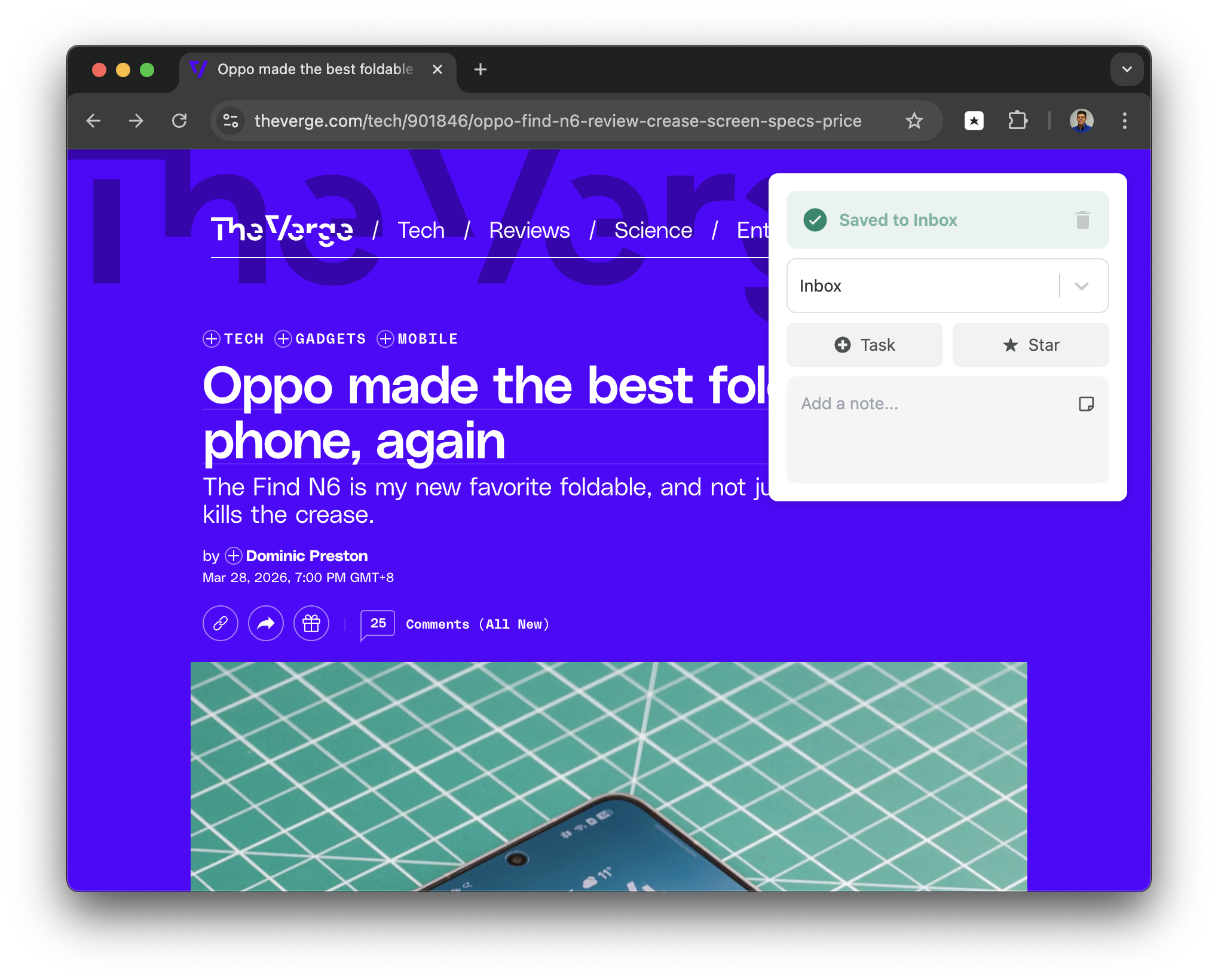
Save links, images, and text to Luckynote directly from Chrome.
Install on ChromeCapture what matters from the web without breaking your flow.
Install on FirefoxThe Luckynote browser extension is built for the moment when you find something useful and need to save it before your attention moves on. Click the extension, save the page, and keep working. You do not have to pick the perfect folder, rewrite the title, or decide whether the link deserves a whole note.
That matters because most web saving fails at the point of capture. Browser bookmarks are fast but easy to forget. Emailing yourself a link works until your inbox buries it. Leaving tabs open feels convenient until every browser window becomes a guilt list. Luckynote gives saved web pages one searchable home beside your notes, files, screenshots, and tasks.
Each saved link can keep a preview and sit next to the reason you saved it. If the page becomes important, you can star it, move it into a folder, or convert it into a task. If it was just a quick reference, it can stay in the inbox and still be searchable later.
Capture pages you want to revisit before they disappear into tab chaos. Use it for articles, docs, product pages, competitor research, job posts, recipes, travel ideas, and anything else you need to find again.
Keep visual references and useful fragments beside the notes they belong with. This is useful for design references, screenshots, quotes, shopping research, and ideas you want to attach to a project.
Everything lands in Luckynote where it can be searched, starred, and organized later. You can capture without filing, then add structure only when the saved item becomes important.
Choose the browser you use most and sign in to the same Luckynote account you use on web or mobile. The extension is meant to be close to your reading and research flow.
When a page is worth keeping, click the Luckynote extension. The link goes to your Luckynote inbox so you can close the tab instead of maintaining a fragile tab stack.
Open Luckynote on web, desktop, iPhone, iPad, or Android to search and act on what you saved. Saved links can live beside tasks, notes, files, and screenshots from the same project.
Save sources as you read and add short context notes when needed. Later, search for the topic instead of digging through history, bookmarks, or a pile of old tabs.
Use Luckynote as a Pocket-style queue that can also become a task list. A saved article can be starred, filed, or turned into a reminder when it needs action.
Keep customer pages, competitor examples, documentation, screenshots, and ideas in the same place as the notes and files for the project.
| Feature |  Luckynote extension Luckynote extension | Browser bookmarks |
|---|---|---|
| Click to save the current page | ✓ Yes | ✓ Yes |
| Saved page lives beside notes and files | ✓ Yes | ✕ No |
| Add context and follow-up | ✓ Yes | ~ Limited |
| Convert saved pages into tasks | ✓ Yes | ✕ No |
| Useful for active research workflows | ✓ Yes | ~ Limited |
No. The extension is for faster capture from the web, but Luckynote works without it too.
This page ships with Chrome and Firefox download options.
Yes. The extension is designed for quick capture first. Save the page immediately, then organize it later with folders, stars, or tasks if it becomes important.
It can replace the save-later part of Pocket, but Luckynote also keeps notes, files, screenshots, and tasks beside your saved links.
Yes. Save from your desktop browser with the extension, then open the same saved links later on the Luckynote mobile apps.
Keep the fast capture habit, but give yourself a better place to return to later.